For freight forwarders and customs brokers

From quotation to paid invoice, in one secure workspace.

Logistics & Invoicing Suite runs the daily work of a freight forwarding office in the browser: quotations, advices of arrival, VAT invoices, client receipts, expenses and the reports that tie them together, across every branch.

  • QOU-735 Quotation
  • AFT-1142 Arrival
  • INV-27871 VAT invoice
  • AP-17894 Receipt
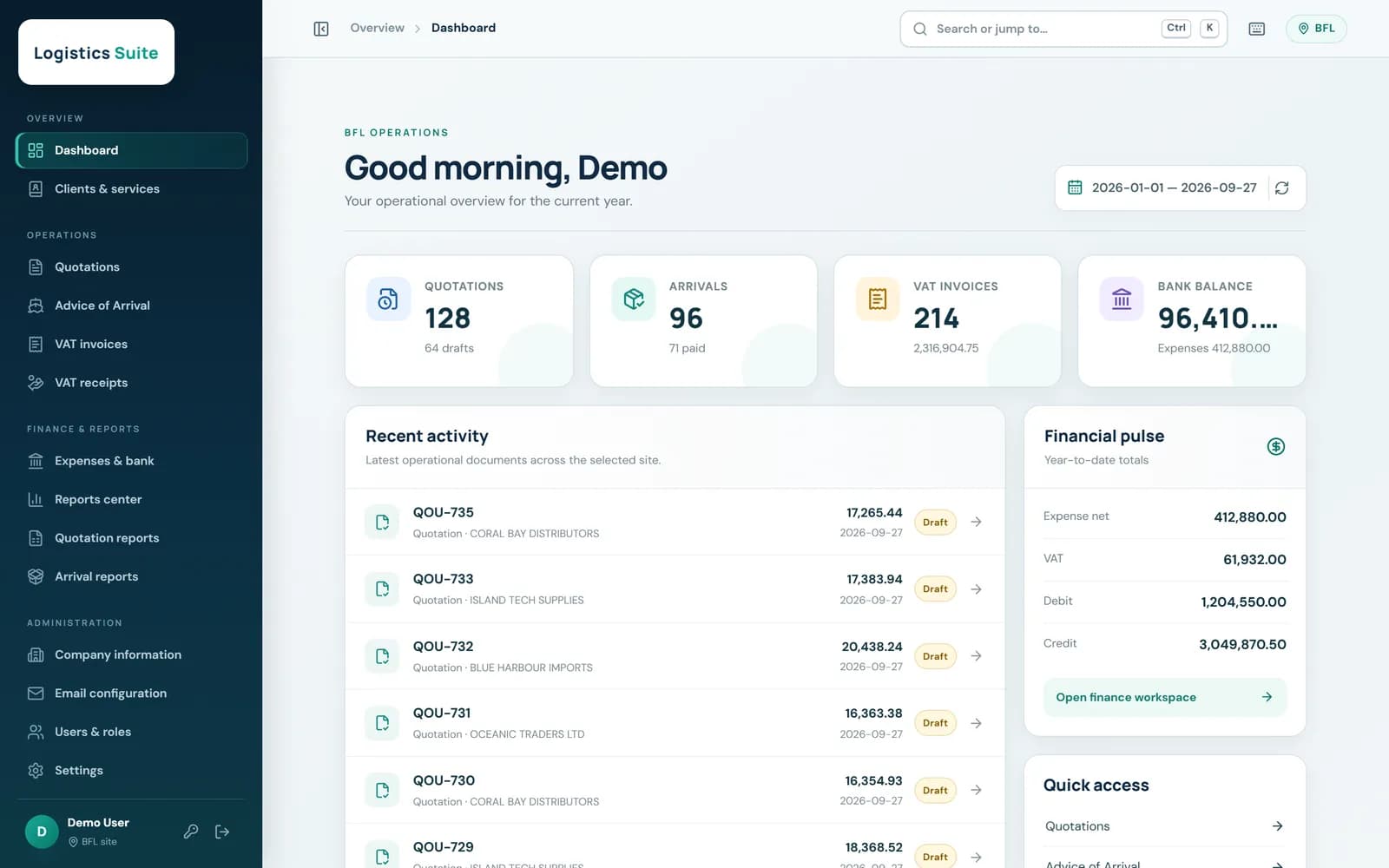
Dashboard showing quotation, arrival and VAT invoice counts, bank balance, recent documents and year-to-date financial totals

The workflow

Every shipment follows the same four documents

Each step picks up where the last one left off, and the system keeps the numbering, VAT and balances right at every stage.

  1. 01

    Quote the job

    QOU-735

    Service lines in MUR, USD or EUR with exchange rates and VAT worked out as you type. Print or save a PDF in one click.

  2. 02

    Record the arrival

    AFT-1142

    Vessel or flight, voyage, AWB/BL, container, shipper and landing details, with the charges due from the client.

  3. 03

    Issue the VAT invoice

    INV-27871

    VAT invoices with cheque references, taxable and zero-rated totals, and A4 print packs for a whole date range.

  4. 04

    Receive the payment

    AP-17894

    Allocate one payment across several invoices and arrivals, in full or in part. Balances and paid status update themselves.

Quotations & arrivals

Fast entry, exact figures

Staff type a foreign-currency amount and a rate, or a local amount directly. Amounts, VAT and totals follow the office's own rules to the cent, and every document gets its number automatically.

  • Multi-currency service lines with automatic conversion
  • Duplicate a past quotation to price a repeat job in seconds
  • Print-ready quotations and advices of arrival
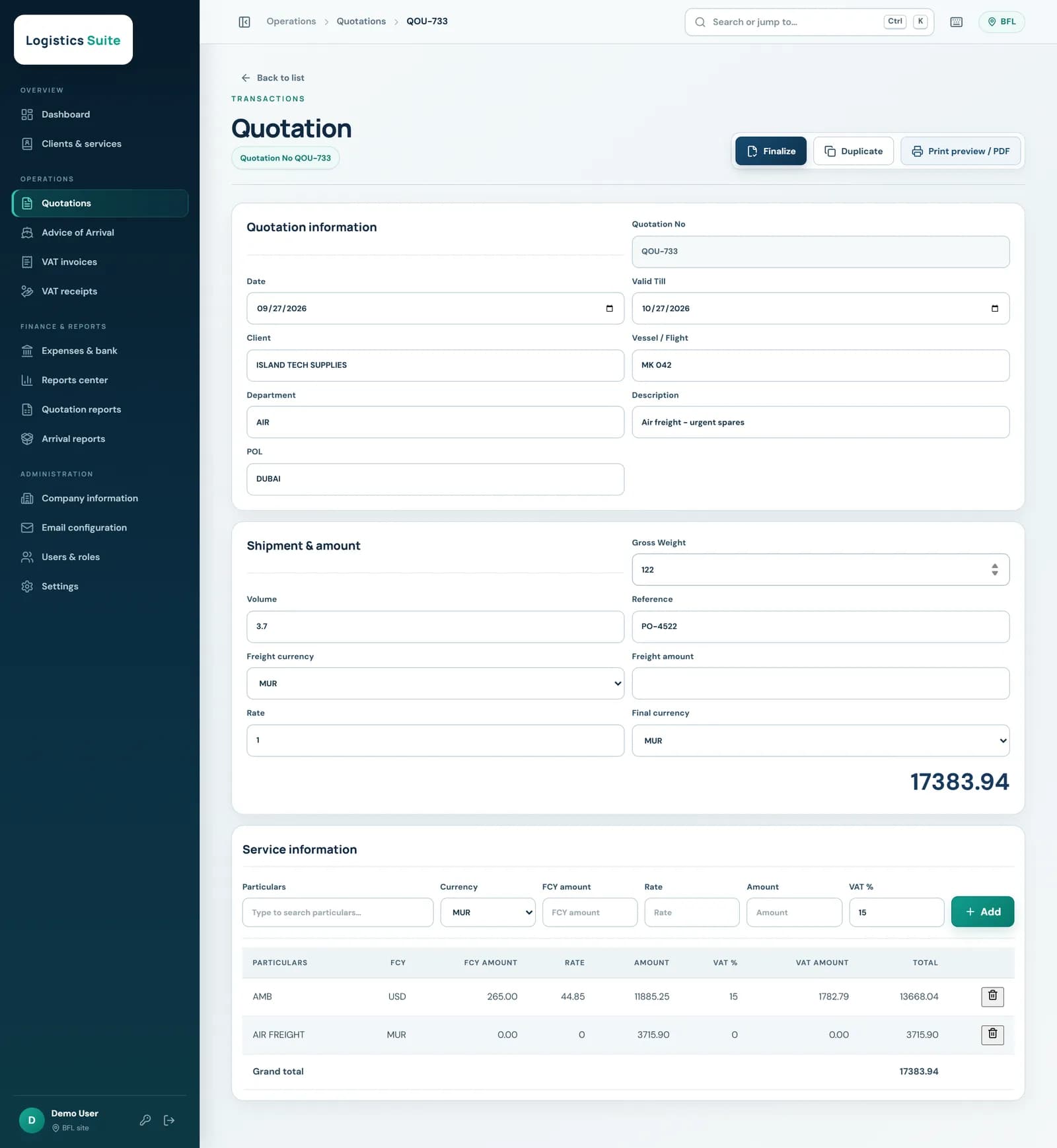
Quotation form with client, shipment details and service lines in USD and MUR with VAT

VAT receipts

Payments matched to what is owed

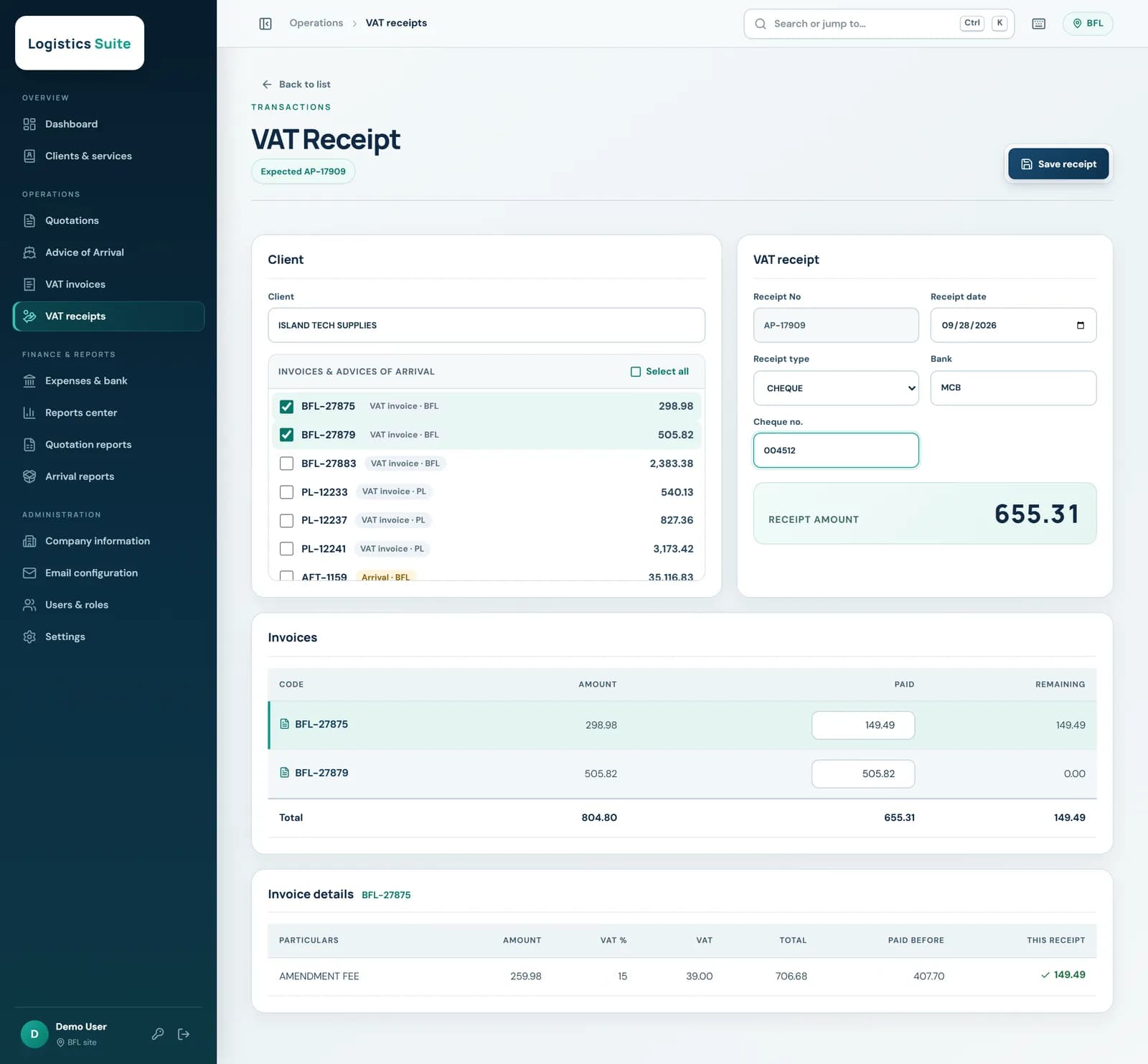
Pick the client and every open invoice and arrival appears with its balance. Tick what the payment covers, adjust any part payment, and the receipt amount adds itself up.

  • Full, partial and multi-document payments
  • Cheque, cash and bank transfer, with bank details
  • Overpayments are blocked before they happen
VAT receipt screen with open invoices ticked, one part payment and the receipt amount total

Documents

Invoices your clients recognise

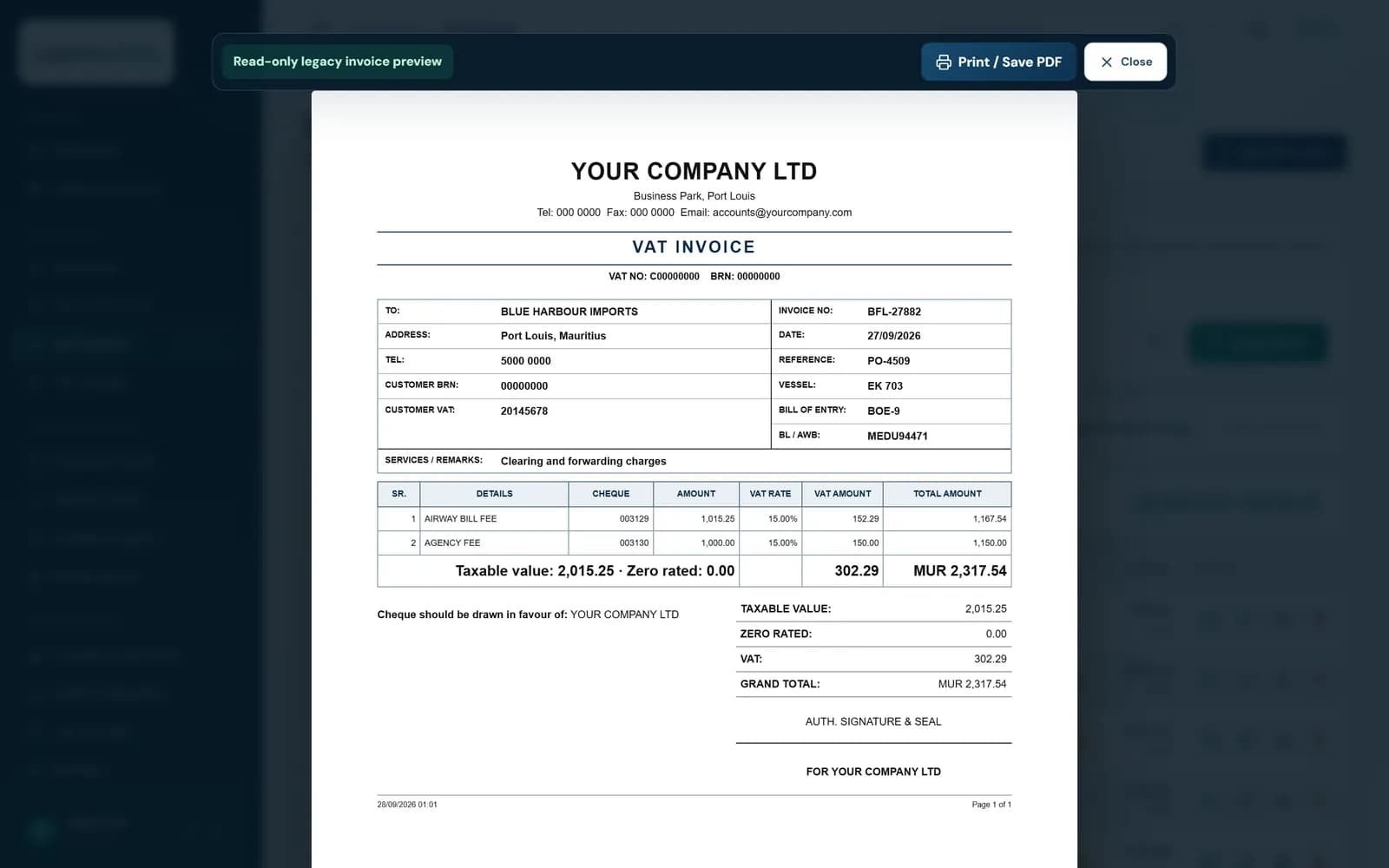
Quotations, arrivals, VAT invoices and receipts print on A4 with your company details, VAT and BRN numbers, taxable and zero-rated totals, and signature blocks. Save any of them as a PDF to email.

Printable A4 VAT invoice with service lines, VAT amounts and grand total

Reports

Know who owes what, and for how long

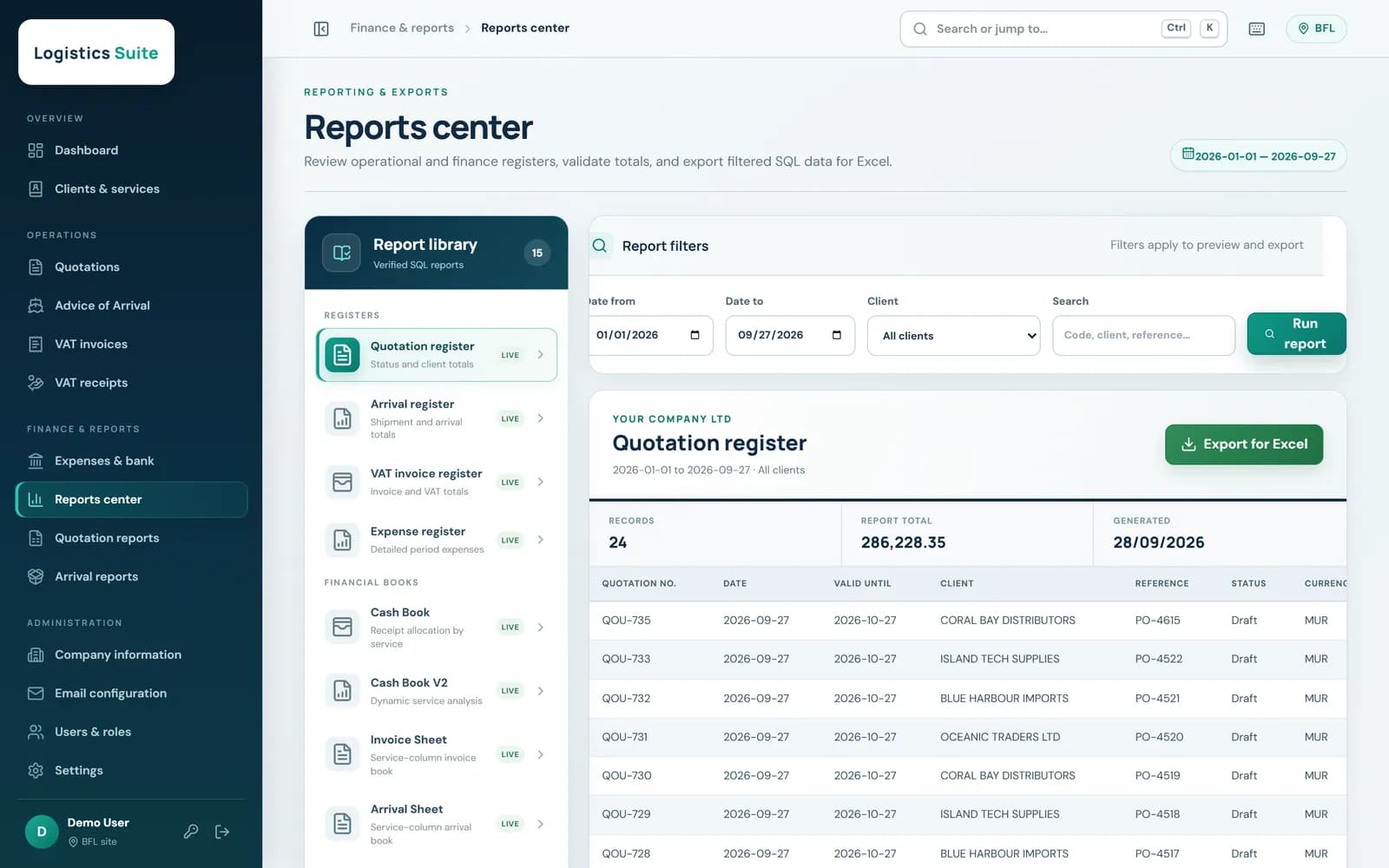
Receivables and ageing, cash book, invoice, arrival and receipt sheets, and expense summaries, all filtered by site and date and exported to Excel.

Reports center with the report catalogue, filters and a results grid

Built for the office

The details a forwarding business depends on

Multi-branch

Each branch works on its own arrivals, invoices, receipts and reports, while quotations and clients are shared. Staff choose their branch when they sign in.

Roles and permissions

Decide who can view, create, finalize or cancel each kind of document. Screens and buttons follow each person's permissions.

Security built in

Token-based sign-in, account lock-out after repeated failed attempts, enforced password changes and an audit log of sign-ins and administrative changes.

Keeps your history

Designed to take over from an existing desktop system on the same SQL Server database, so years of documents stay available from day one.

Quick to use

Search or jump anywhere with Ctrl+K, keyboard shortcuts for common actions, and clear confirmations before anything is deleted.

Works everywhere

Runs in any modern browser on desktop, laptop, tablet or phone, with nothing to install on staff computers.

On any screen

At the desk or on the quay

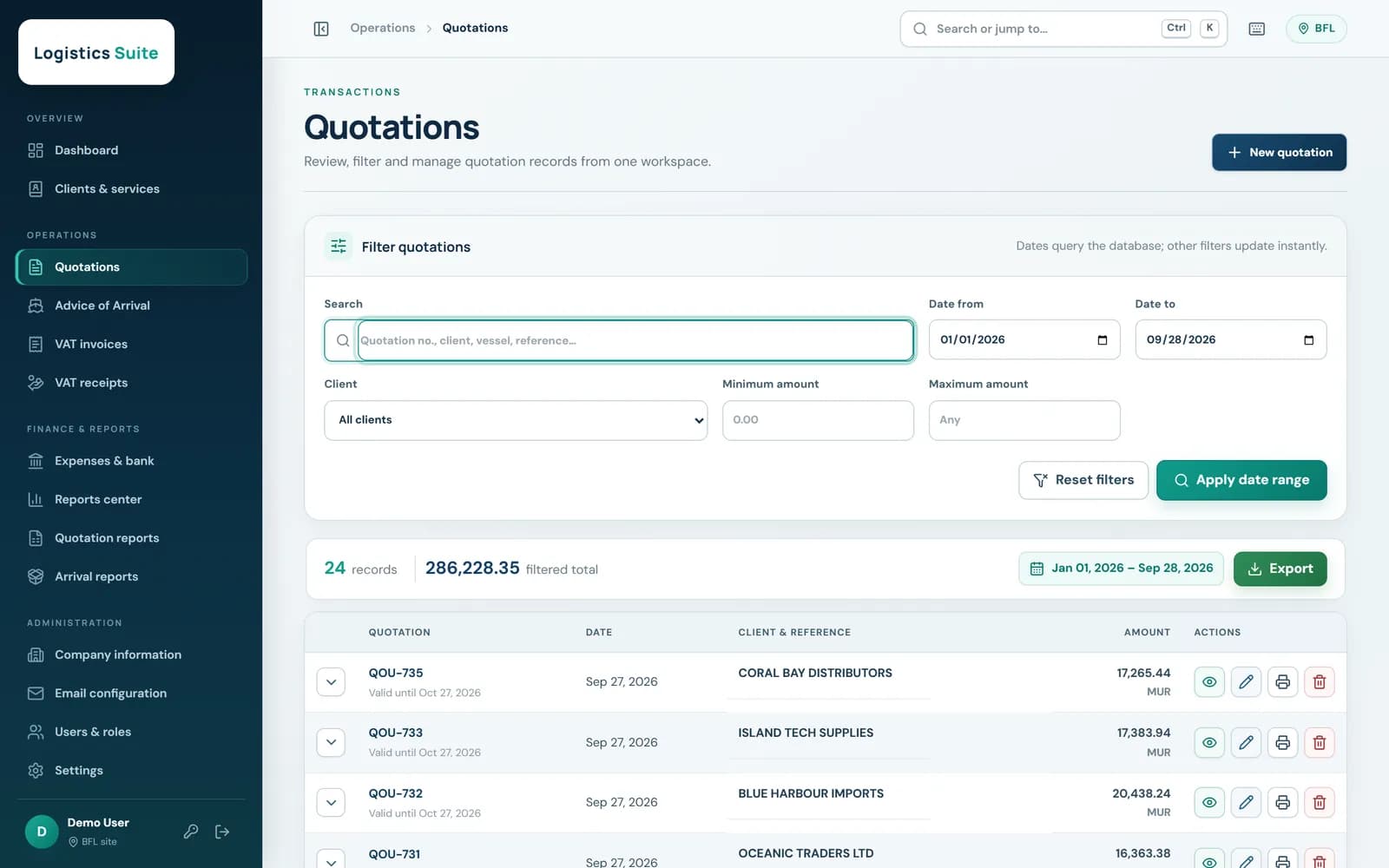
The same workspace adapts from a wide office monitor to a phone.

Quotation list with search, filters, totals and export
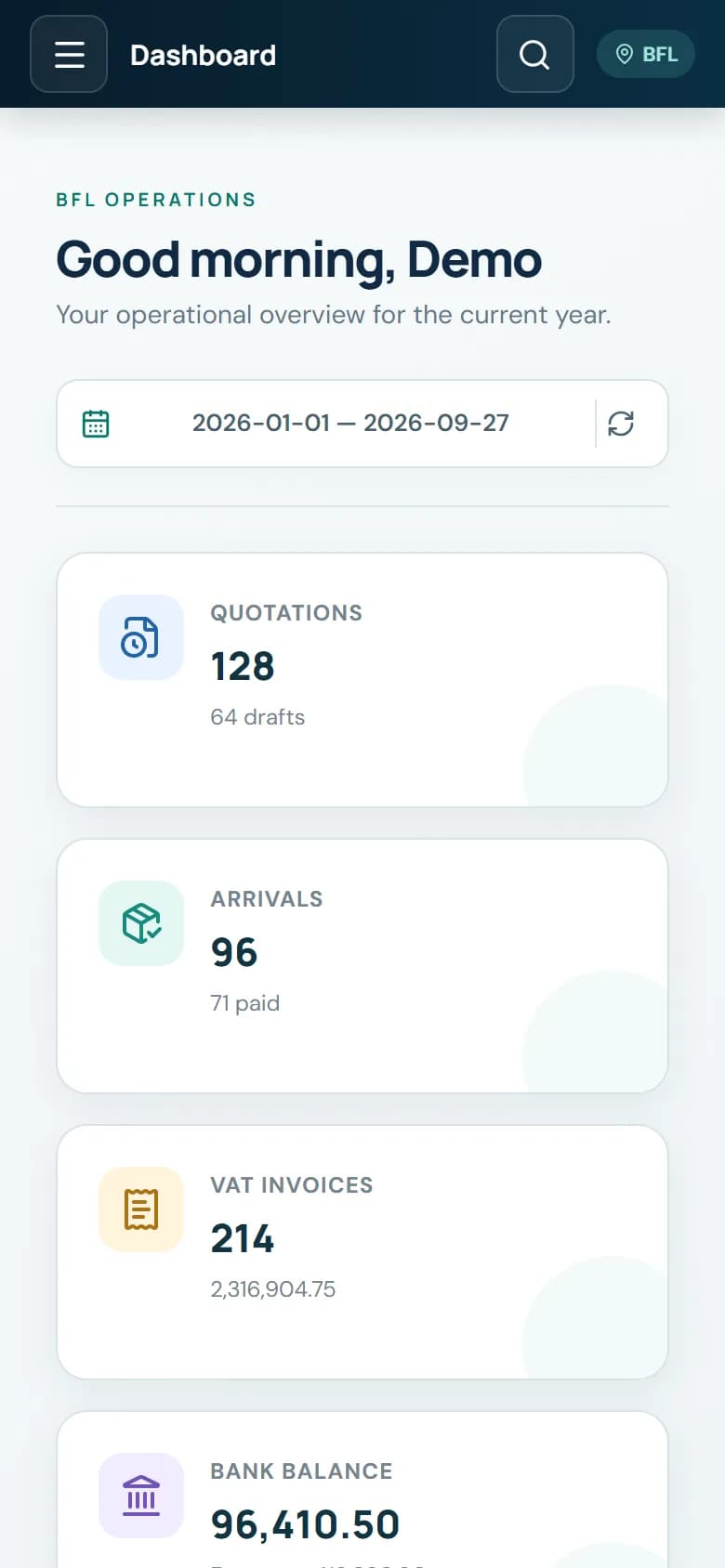
Dashboard on a mobile phone

CODEESK

See it running with your own workflow

We tailor the suite to your branches, document numbering, VAT rules and printed layouts, and help you move across from your current system.

Book a demo

Screenshots show demonstration data.

Chat on WhatsApp