01
Never lose track of a lead
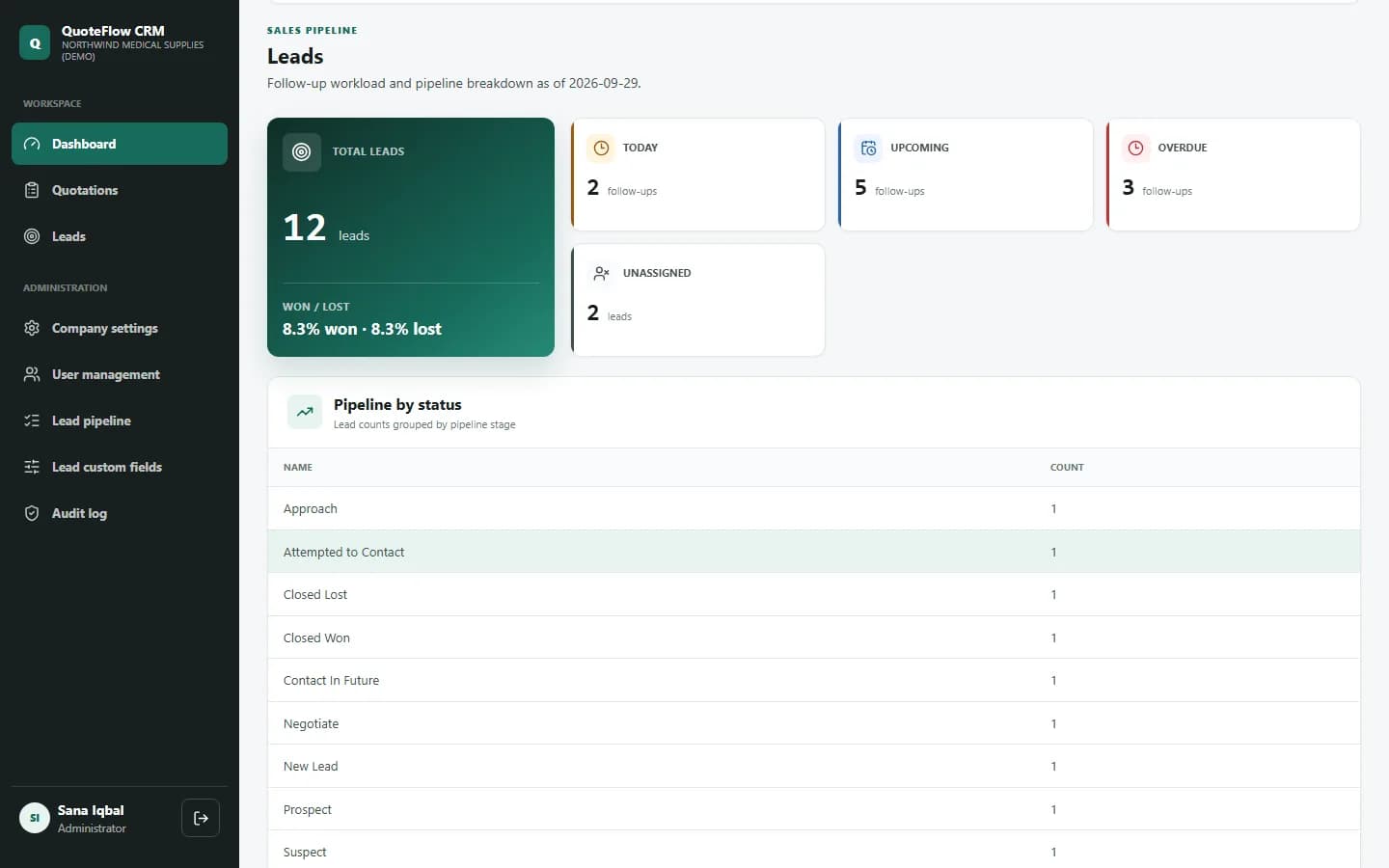
Record every enquiry with its source, priority and owner, and set the next follow-up date. The dashboard shows what's due today, what's overdue and which leads haven't been assigned, so every prospect gets a call back.
Lead & quotation management
QuoteFlow CRM brings your leads, follow-ups, quotations and approvals together. Your team builds consistent, correctly calculated quotations, managers approve them with a clear record, and your customers receive a professional branded document every time.
01
Record every enquiry with its source, priority and owner, and set the next follow-up date. The dashboard shows what's due today, what's overdue and which leads haven't been assigned, so every prospect gets a call back.
02
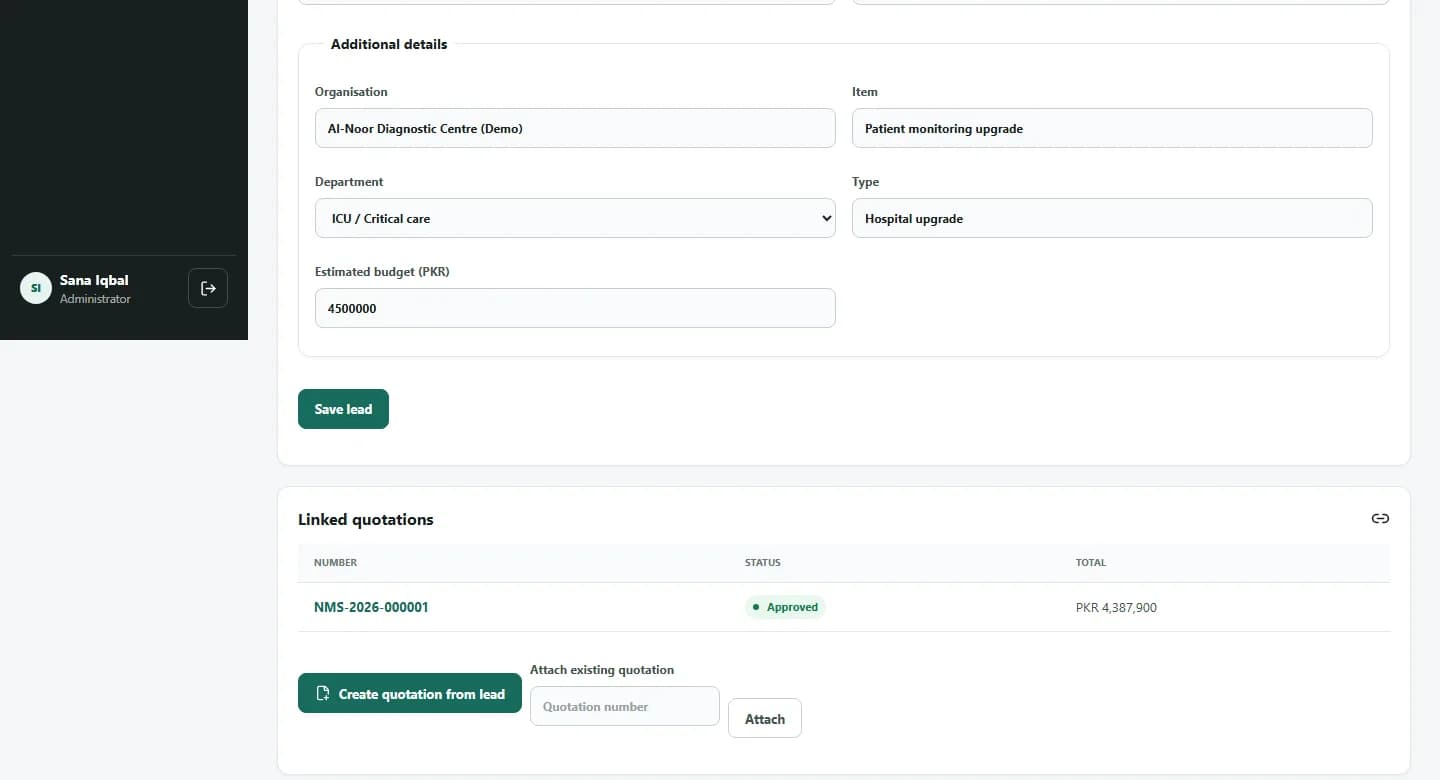
Set your own pipeline stages, lead sources and priority flags, and add the extra details your business tracks, such as organisation, department or budget, as custom fields. No development work needed.
03
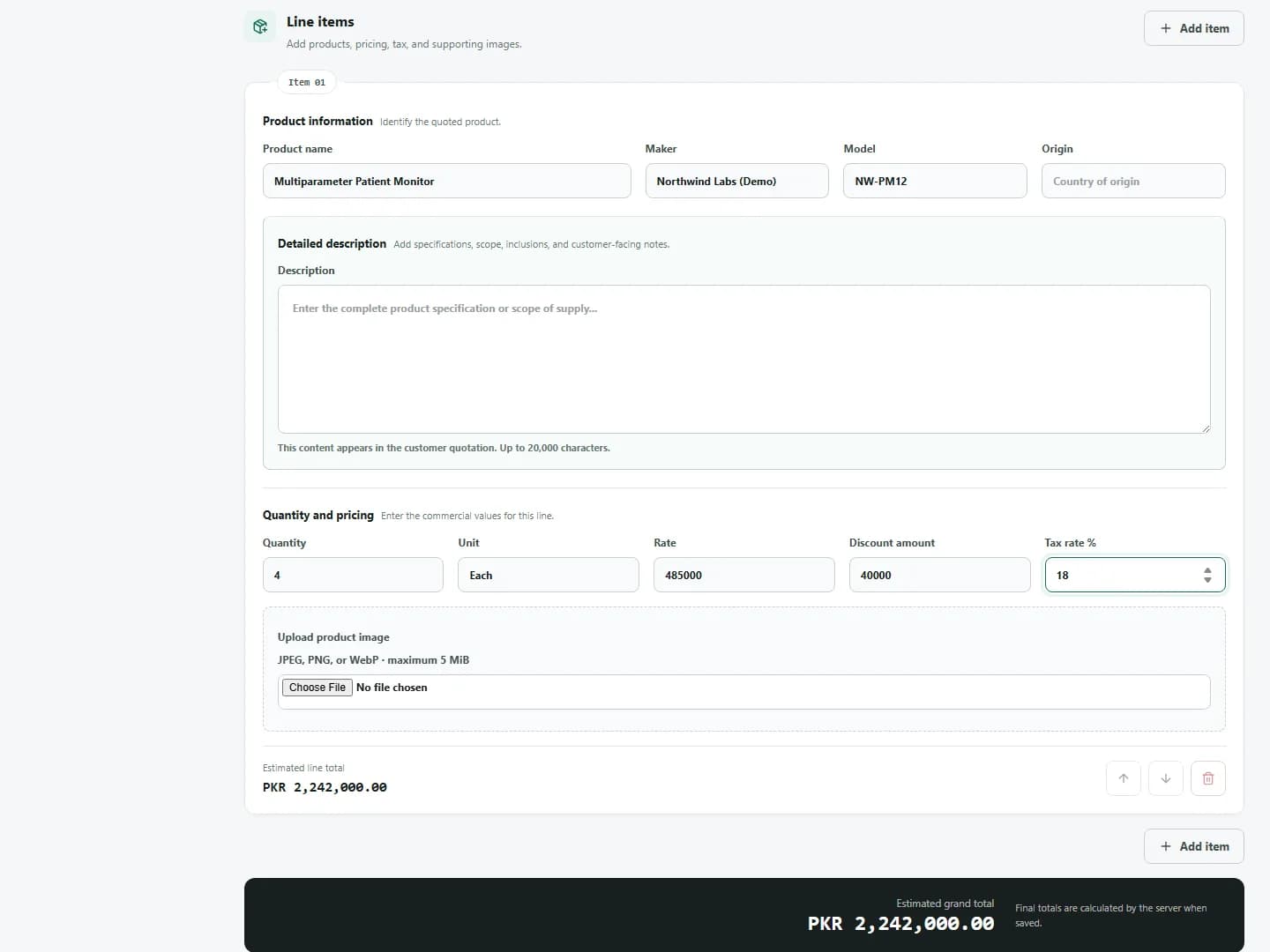
Build quotations with multiple products, images, discounts and sales tax. Totals are recalculated by the server when you save, and your company defaults fill themselves in. Need to send the same offer to several buyers? Add them all in one step.
04
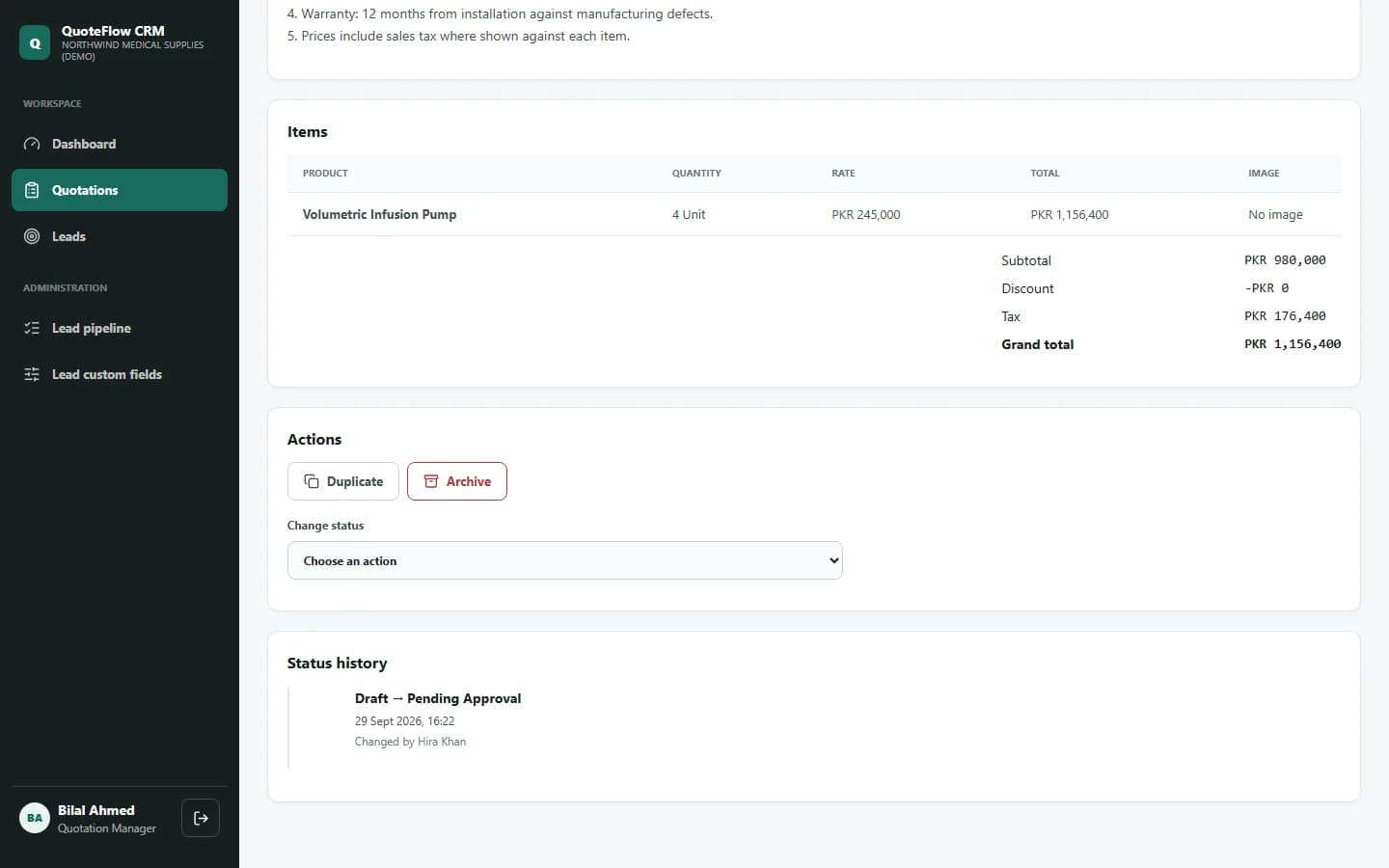
Quotations move from draft to approval in a controlled workflow. Only managers and administrators can approve, rejections record a reason, and every status change is kept with the name and time.
05
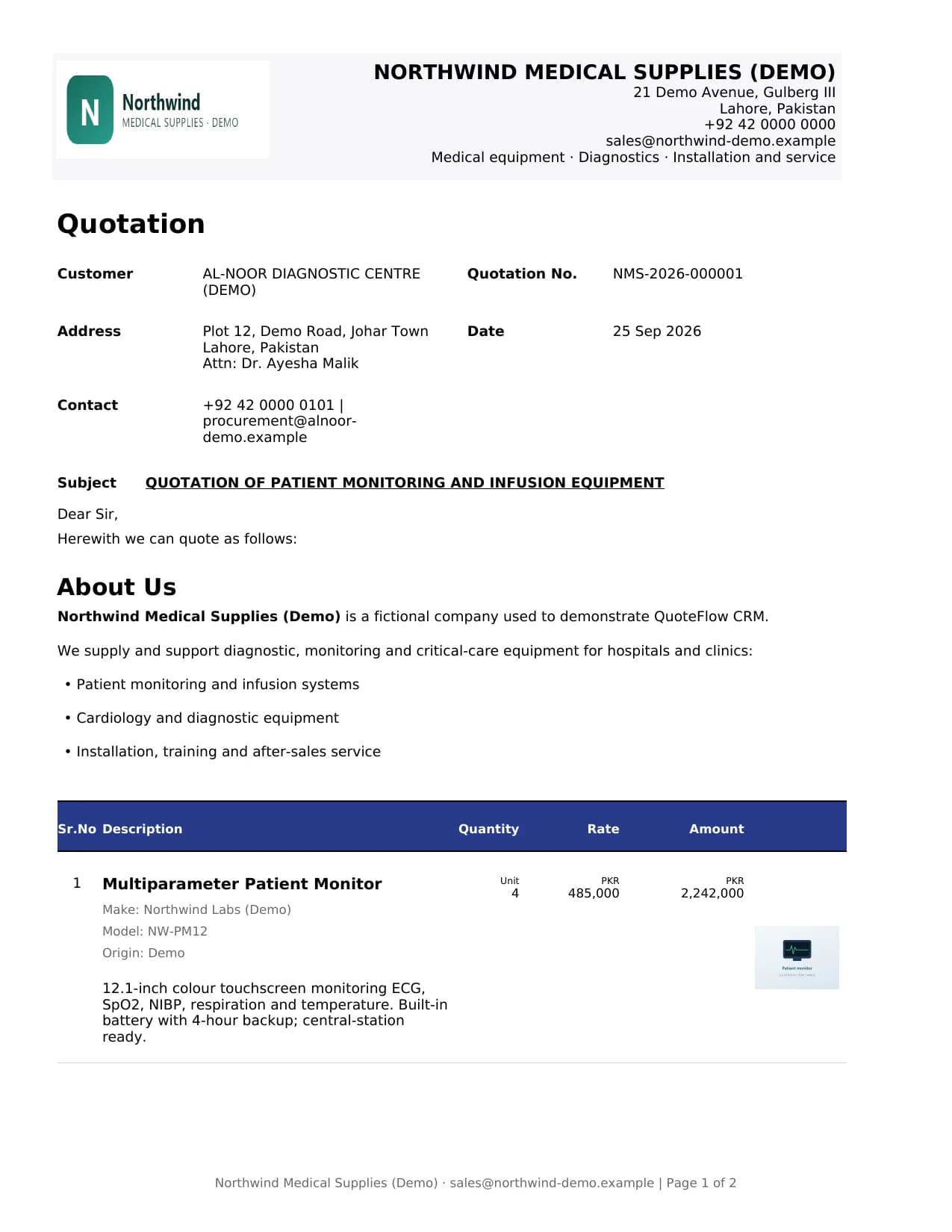
Download a branded PDF with your logo, company details, cover letter, product images, totals and amount in words, or print it straight from the preview. Choose which sections to include for each customer.
06
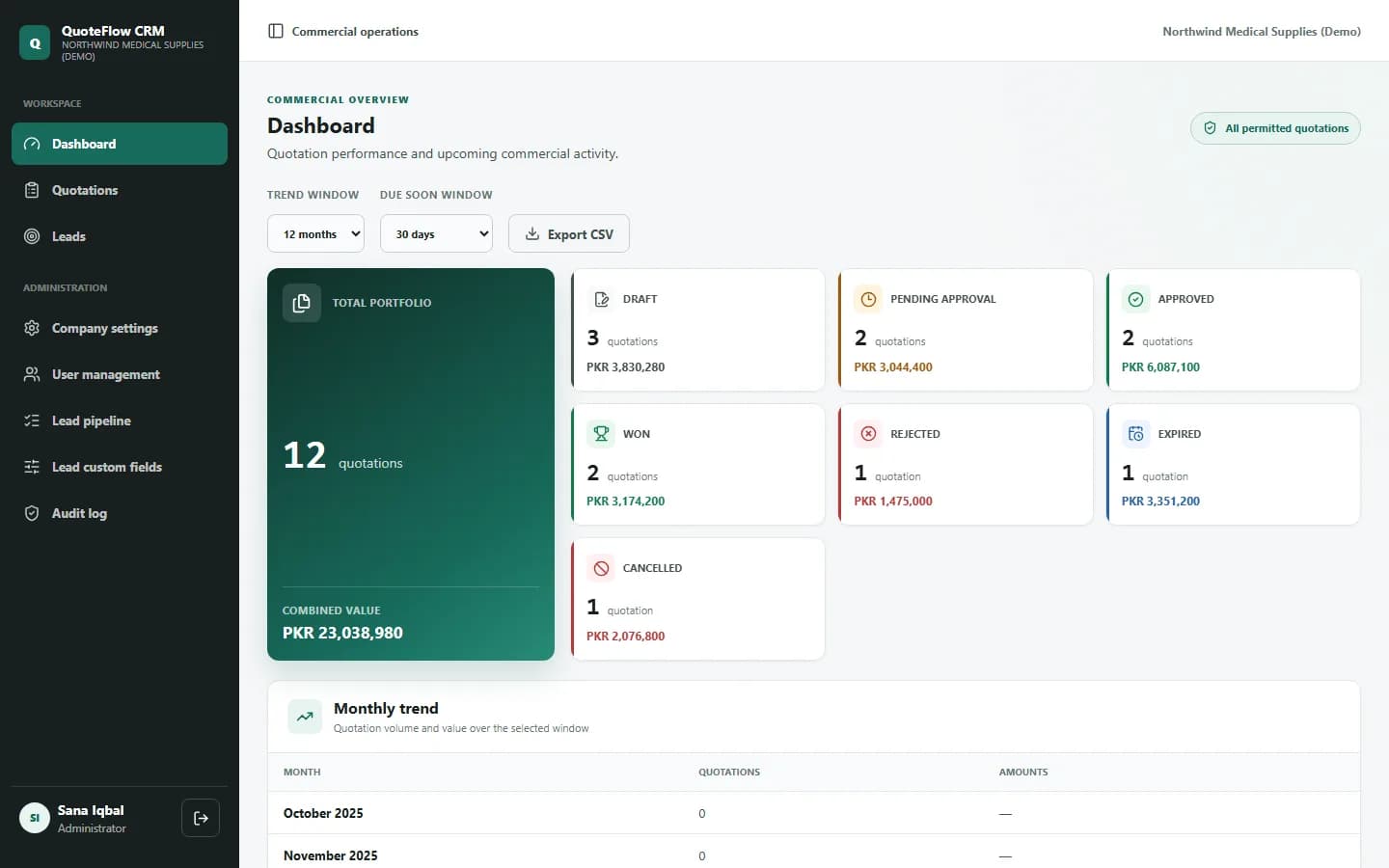
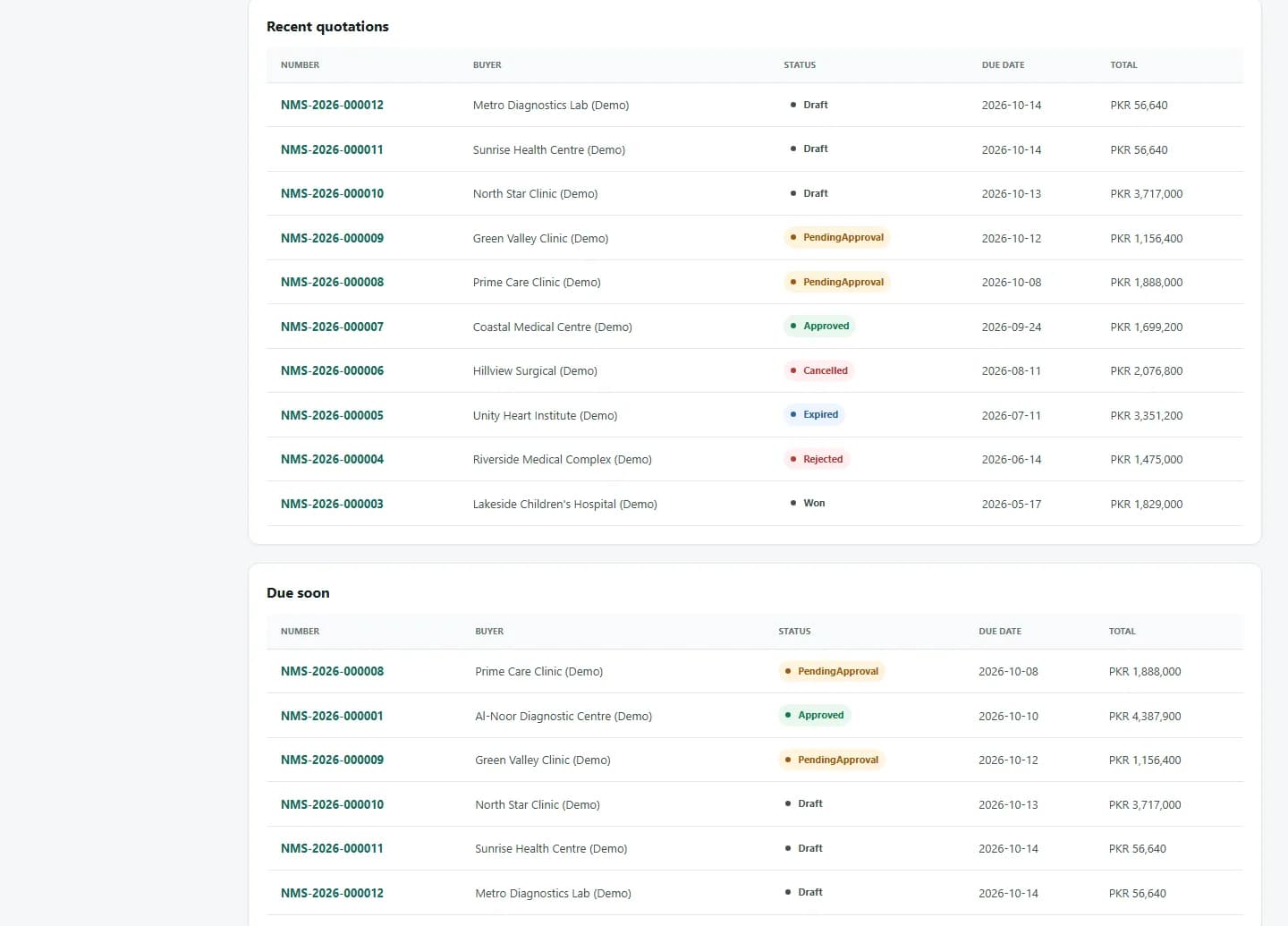
Dashboards show quotation value by status, monthly trends, quotations due soon, and lead follow-up workload. Role-based access keeps each person to the right screens, and the activity history shows who changed what.
How it works
Track every lead, prepare accurate quotations and get them approved and out to customers, all in one system.
Record the enquiry, its source and priority, assign an owner and set the next follow-up date.
Create the quotation from the lead, add products and pricing, and submit it for manager approval.
Download the branded PDF for your customer, follow up, and record the outcome as won, cancelled or expired.
Product walkthrough
From the dashboard to a lead, its quotation and approval history, and the customer document.
Request a demo
Book a guided demo with the CODEESK team. We'll walk through lead follow-up, quotation preparation, approval and the customer PDF, and discuss how the system would fit your business.
Screenshots and video show demonstration data.